TEXT CLEANUP GUIDE
How to Remove Empty Lines from Text Without Losing Meaning
Remove empty lines when copied text, logs, lists, or code contain more vertical gaps than the task can use. The safest method depends on whether you want every blank row gone or only repeated gaps reduced.
How to remove empty lines safely
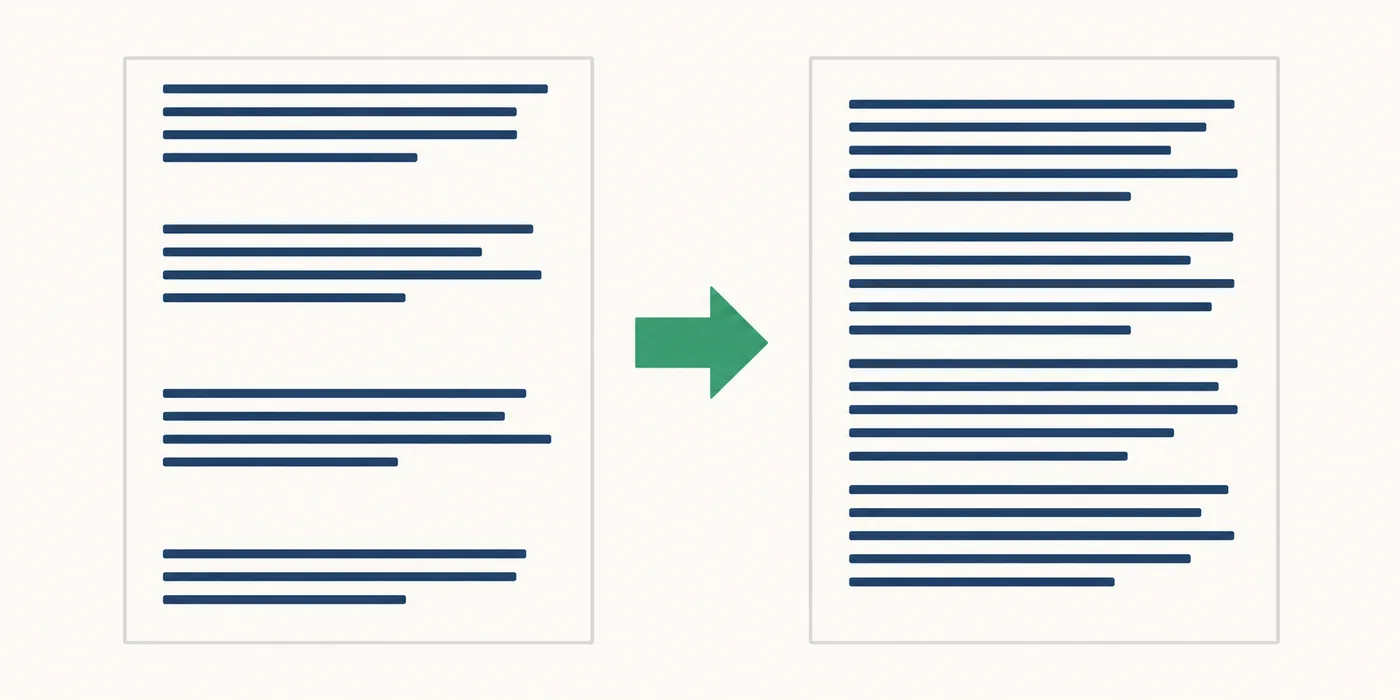
To remove empty lines from text, first decide what counts as empty. A truly empty row contains no characters. A whitespace-only row contains spaces, tabs, or another invisible character, so it looks empty but can survive a simple find-and-replace. Normalize line endings when text comes from more than one operating system, then remove only the rows that contain no visible content.
For a one-off cleanup, paste the text into a temporary copy, choose either remove-all or collapse-repeated-gaps, and compare the result with the original. When you remove empty lines in a repeatable workflow, use a regular expression or a small script that filters each line. Keep one blank line between paragraphs when the spacing helps a reader; deleting every blank line from prose can merge ideas and make the result harder to scan.
- Remove all blank lines for one-item-per-line lists, imports, and compact logs.
- Collapse repeated blank lines to one for articles, notes, and documentation.
- Clean only leading and trailing blank lines when the inner layout is intentional.
What counts as an empty line?
The visual appearance of a line is not a reliable test. A line can be empty, contain ordinary spaces, contain tab characters, or include a non-breaking space copied from a web page. All of those may look blank in an editor, yet a rule that checks only for a zero-length string will miss some of them. The cleanup policy should say whether whitespace-only lines are included before you run it.
Line endings add another source of confusion. Windows text commonly uses CRLF, while Unix-like systems use LF; older files can contain CR by itself, and pasted content can mix formats. Normalize those boundaries before applying a pattern so that a rule does not remove one kind of newline while leaving another behind.
| Input row | Looks like | Recommended handling |
|---|---|---|
| Two line breaks with nothing between | Empty | Remove when the selected mode removes all empty rows. |
| Spaces or tabs only | Blank | Treat as empty when cleaning pasted or exported data. |
| A paragraph separator | Intentional gap | Keep one when readability depends on it. |
| Invisible control or zero-width character | Blank but not simple whitespace | Inspect or clean the character before repeating the pass. |
Choose the cleanup mode before you edit
The phrase remove empty lines can describe three different outcomes. Selecting the outcome first prevents the most common mistake: using an aggressive pattern on prose that needs paragraph boundaries. Make a copy of valuable text, especially when a command will edit a file in place.
| Mode | Best for | What remains |
|---|---|---|
| Remove all | IDs, email lists, CSV-like exports, and compact logs | Every non-empty line, in its original order |
| Collapse runs | Articles, notes, Markdown, and documentation | At most one blank line between content lines |
| Trim edges | Snippets, templates, and copied blocks | Inner blank lines, but no empty margin at the start or end |
Remove blank lines with an editor or regex
Most code editors have a regular-expression option in Find and Replace. A useful cross-editor starting point is to match the beginning of a line, optional whitespace, and the line ending. In a JavaScript-style editor, the pattern below targets empty and whitespace-only rows. The exact newline token varies by editor, so test on a small selection and keep Undo available.
To collapse repeated gaps rather than delete every one, match a run of line breaks and replace it with the number needed for one blank line. A pattern that assumes only LF may behave differently on CRLF files; normalize the file first or use the editor's line-break token when it provides one.
Find:    ^\s*\n
Replace: (leave empty)

Collapse repeated gaps instead:
Find:    (\r?\n){3,}
Replace: \n\n
Enable regular expressions, preview the matches, and run the replacement on a selected region when possible.Use shell tools for repeatable text files
For a large plain-text file or an automated pipeline, a shell command is easier to review and repeat than a manual editor pass. Write to a new output file first so the original remains available. The examples below treat lines with only spaces or tabs as empty; adapt the character class if your data uses other whitespace.
The first command keeps every line containing a non-whitespace character. The second is a compact alternative for Unix-like systems. These commands preserve the order of content lines, but they do not understand Markdown, code syntax, or paragraph semantics.
grep -v '^[[:space:]]*$' input.txt > output.txt

# Equivalent with sed
sed '/^[[:space:]]*$/d' input.txt > output.txt

# Keep one blank line while squeezing repeated empty rows
cat -s input.txt > output.txtFilter lines in Python or JavaScript
A small script is helpful when cleanup is part of an import, test, or publishing process. Split the input into logical lines, keep rows whose trimmed content is not empty, and join them with the line ending your next system expects. This makes the whitespace rule visible in code instead of hiding it in a tool setting.
The Python example keeps all non-blank content lines. The JavaScript example first normalizes CRLF and CR to LF, then filters rows. Both examples deliberately return a new string. That makes it easier to compare counts, log the number of removed rows, or ask a user to approve the result before overwriting a file.
# Python: remove empty and whitespace-only lines
cleaned = \"\n\".join(line for line in text.splitlines() if line.strip())

// JavaScript: normalize endings, then filter rows
const normalized = text.replace(/\r\n/g, \"\n\").replace(/\r/g, \"\n\");
const cleaned = normalized.split(\"\n\").filter(line => line.trim() !== \"\").join(\"\n\");
Verify the result instead of trusting the count
After the cleanup, compare the first and last meaningful lines, the number of rows, and any boundaries that matter to the next step. A list import should still have one value per row. A Markdown document should keep code fences and paragraph separation. A log cleanup should not silently remove a timestamp line that contains only a placeholder or a control character.
If gaps remain, inspect the characters inside one surviving row. Zero-width spaces, non-breaking spaces, form feeds, or unusual Unicode separators may not match the simplest expression. If paragraphs have merged, undo the change and use collapse-runs mode. If the file looks correct but a downstream system reports a mismatch, check its newline convention and whether it counts a final newline as an extra line.
For a quick sanity check, count the source and cleaned text with the Line Counter on this site. Its line preview makes whitespace-only rows visible, while the character counter can help spot invisible characters after a cleanup.
- Compare before and after line counts and record how many rows were removed.
- Open a diff for code, configuration, and data files instead of relying on visual scrolling.
- Keep one intentional paragraph break when readers need a clear boundary.
- Check encoding and line-ending settings when text moves between operating systems.
A safe four-step workflow
Use this short sequence for pasted text or a file you are preparing for another system.
- 1. Make a copyKeep the original text or file so an aggressive replacement can be undone.
- 2. Define emptyDecide whether spaces, tabs, non-breaking spaces, and mixed line endings count as blank.
- 3. Pick the modeRemove all rows for compact data, collapse runs for prose, or trim only the edges.
- 4. Review and measureOpen a diff, check the first and last rows, and compare line counts before sharing the result.
References for the rules
The guide uses standard string behavior and current editor examples. These references explain the whitespace and line-splitting details behind the examples.
- MDN: String.prototype.trim()Documents how JavaScript removes leading and trailing whitespace when checking a line.
- Python: str.splitlines()Lists the line boundaries recognized by Python's plain-text splitter.
- VS Code blank-line regex discussionA community example showing why newline mode and whitespace affect replacement results.
Remove empty lines FAQ
What is the difference between an empty line and a blank line?
An empty line has no characters. A blank line can contain spaces, tabs, or other invisible whitespace. A reliable cleanup rule treats a row as blank when its trimmed content is empty, then removes the row and its line ending.
How do I remove empty lines without joining normal lines?
Remove only rows that contain no visible content, not every newline. To remove empty lines safely, use a line filter or a regex such as ^\s*\n; it removes the blank row while leaving the line breaks between meaningful rows intact.
Should I remove every blank line from an article?
Usually no. Keep one blank line between paragraphs when it improves reading. Use collapse-runs mode to reduce accidental three-line gaps without merging the document's structure.
Why does my regex leave some blank lines behind?
The rows may contain tabs, non-breaking spaces, mixed CRLF and LF endings, or zero-width characters. Inspect one survivor, normalize line endings, and use a whitespace-aware pattern that also consumes the newline.
Can I remove blank lines from a CSV or list safely?
Yes, when an empty row has no meaning in the receiving system. Make a copy, keep the order of non-empty rows, and verify the cleaned file with a diff or a small row count before importing it.
What is the safest way to clean a file in a script?
Read the file, create a new output string or file, log the source and output counts, and review the difference before replacing the original. This keeps the whitespace rule explicit and makes recovery easy.
NEXT CHECK
See the line count after cleanup
Paste the original or cleaned text into the browser-based Line Counter to verify the row changes locally.